Back in the Summer of 2020, I received an old Thinkserver TS140 from a neighbor, and a few months later I decided to install Ubuntu on it. At the time, I was quite inexperienced when it came to Linux, but knew a server should have Linux on it if I wanted to tinker with it. And so, I ended up installing Ubuntu Desktop since I wasn’t yet comfortable with the idea of not having a desktop GUI to interact with. It was a good setup that allowed me to play around in the Linux environment, learning how to do things and set up services, but over the years I slowly became more comfortable and using the GUI less and less until I finally uninstalled all the desktop components and solely used the shell.
I’ve been maintaining the server in that state for several years, adding new hard drives and moving storage around, but otherwise using it as-is for hosting this website and a few other projects. This was OK until I started to get the itch for rebuilding the entire server from a new OS. I had a couple of reasons: first, the base image was Ubuntu Desktop and had a few artifacts from that install (like old freedesktop dependencies), second, I was worried about the security of the system. This server is constantly updated and has an extremely low attack surface compared to any enterprise deployment, but outside of that there wasn’t much preventing an 0day attack or any other “undefendable” circumstance from spoiling my weekend.
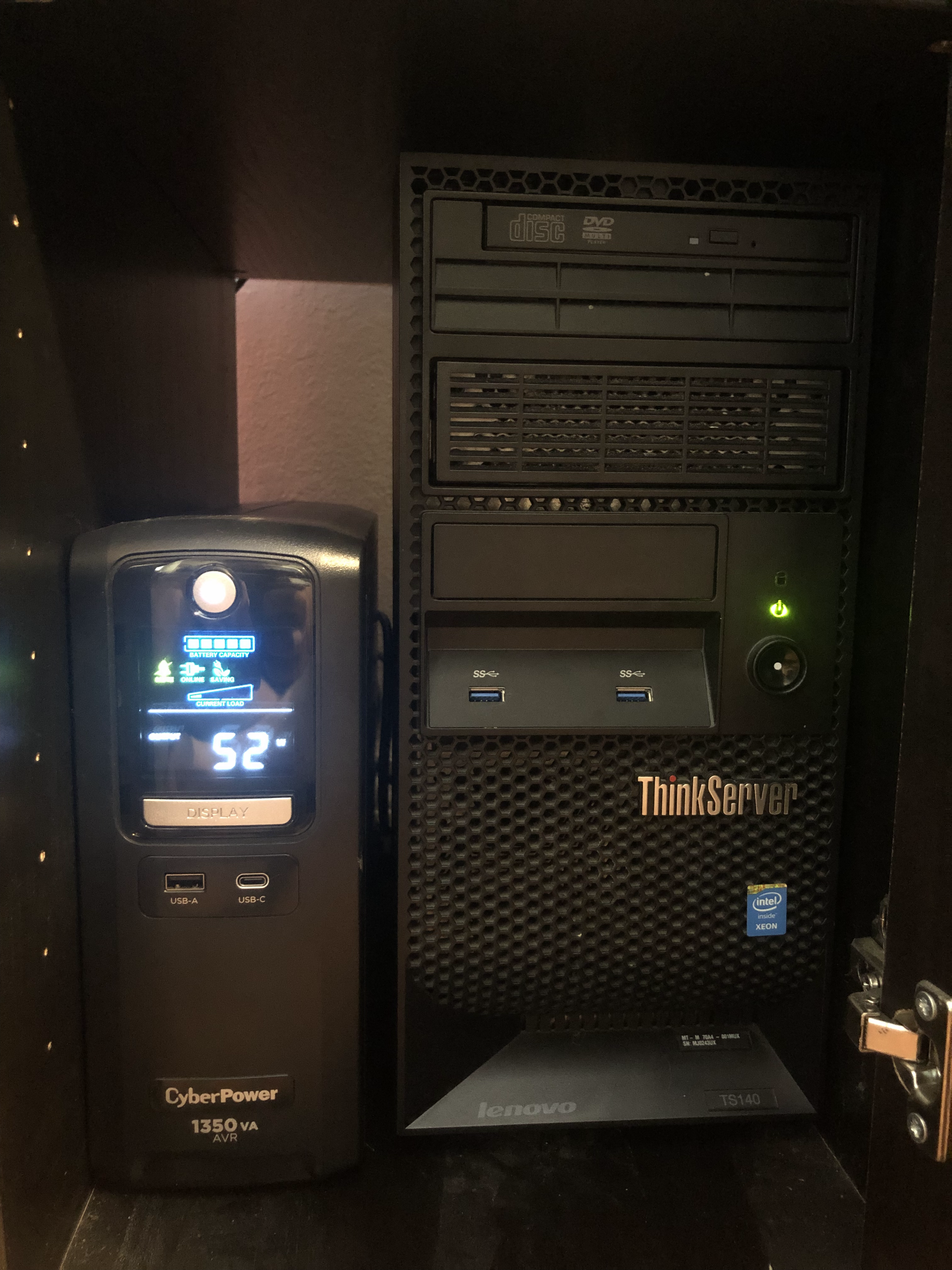
A ThinkServer TS140 and CyberPower “Mini-Tower” UPS fit perfectly in an IKEA MICKE
Initially, I considered installing something lighter like Debian and putting everything in a Docker container, but I wanted a stronger form of isolation than what Docker could provide. This meant virtualization, but surprisingly I had barely touched Proxmox and hadn’t done any research into any of the alternatives. Here arises the other aspect of the project, which was learning. I didn’t want to mindlessly spin-up a new server with an OS I was already familiar with; I wanted to pick up a new skillset for working with server infrastructure completely alien to me. After doing some preliminary research I decided that I’d like to virtualize with Xen and choose an OS around it.
Xen is a type-1 hypervisor, which means it runs on bare-metal hardware without support from a host OS. Less abstraction makes it much more efficient to use a type-1 hypervisor over a type-2 like VMWare or VirtualBox, and since I’m running on 2013 hardware, I need all the efficiency I can get. Xen is supported in the mainline Linux kernel, so technically I could setup a Xen server on just about any distribution, but I wasn’t ready to jump off the deep-end that quickly. Xen has its own API and management system that was far too intimidating for me to start with, much less maintain over several years. There are OSs built around Xen, but they are effectively all enterprise-grade and thus require licensing costs and a small business to operate, except for one: XCP-ng.
XCP-ng, or Xen Cloud Platform - New Generation (hereafter referred to as XCP), is a fork of Citrix XenServer that has been independently maintained since 2018 with support from the Linux Foundation. It runs Xen out-of-the-box and provides both good documentation and a smooth install process to get my Xen server up and running.
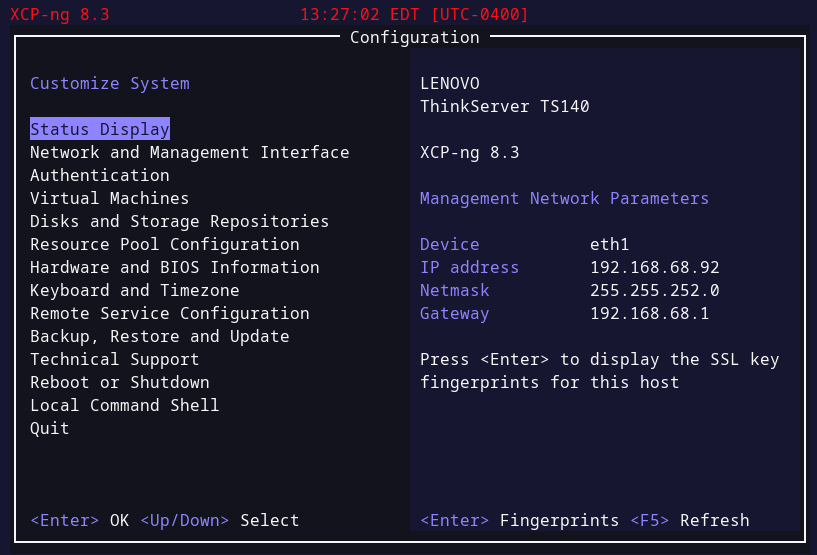
The first thing XCP does after it’s been installed is start up a TUI for managing the server, and though it looks pretty nice, there’s a web UI called Xen Orchestra Lite (XO Lite) that I used for most of the initial setup.
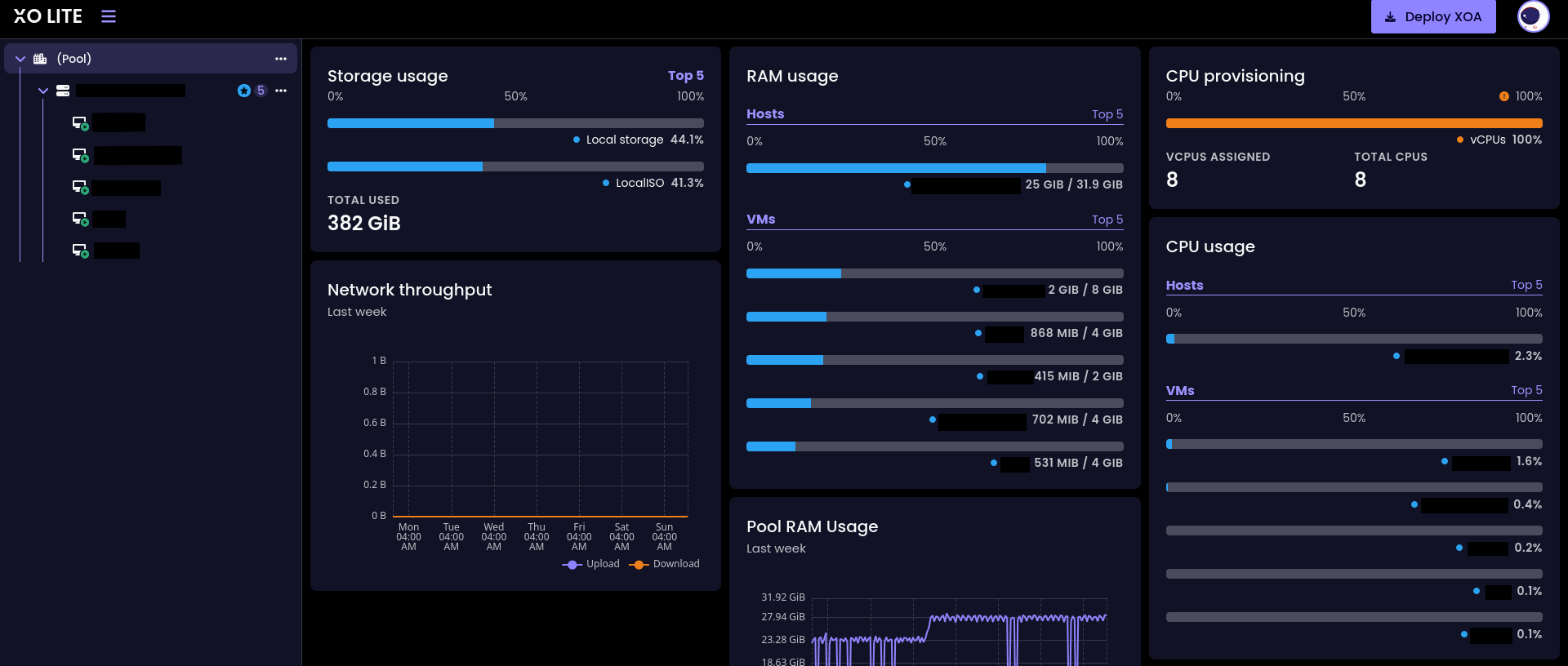
XO Lite is still very clearly a work-in-progress, about half the buttons don’t work and just say “Coming Soon!” on them. This can be very frustrating, especially since it’s the first thing you get when you install the OS, but enough of it works to setup and manage the VMs at a rudimentary level. The full XOA (Xen OrchestrA) is the software that’s meant to manage your Xen hosts, and it installs as a VM on the server. However, XOA requires a registration to receive updates (and a few ads to buy a license) and I didn’t like devoting additional server resources when I was already limited to 32GB of RAM and 8 CPU cores. The good news is that all the holes left by XO Lite can be filled in by using the xe CLI tool.
Networking isn’t hard since each VM comes with a VIF (Virtual InterFace) representing a NIC that can be connected to defined Networks. A network acts like a switch and will link hosts together as such, and are often connected to a PIF (Physical InterFace) representing a physical NIC. XCP will automatically create a bridge device for your VM if one of the PIFs are selected, and for all other purposes simply create a network and attach your VIFs to it as needed.
In my setup, I created an OpnSense VM bridged to one of my NICs and attached to a virtual network I created for the rest of my VMs. This way I could use the OpnSense VM as gatekeeper for all outbound or inbound traffic and manage the VM network separate from the larger home network. Since some of these VMs will become public, it’ll also be beneficial to have Suricata’s IDS between the public traffic and internal servers. Being able to pull DNS logs and do packet captures is also one of the most powerful features that this setup offers for monitoring indicators of compromise.
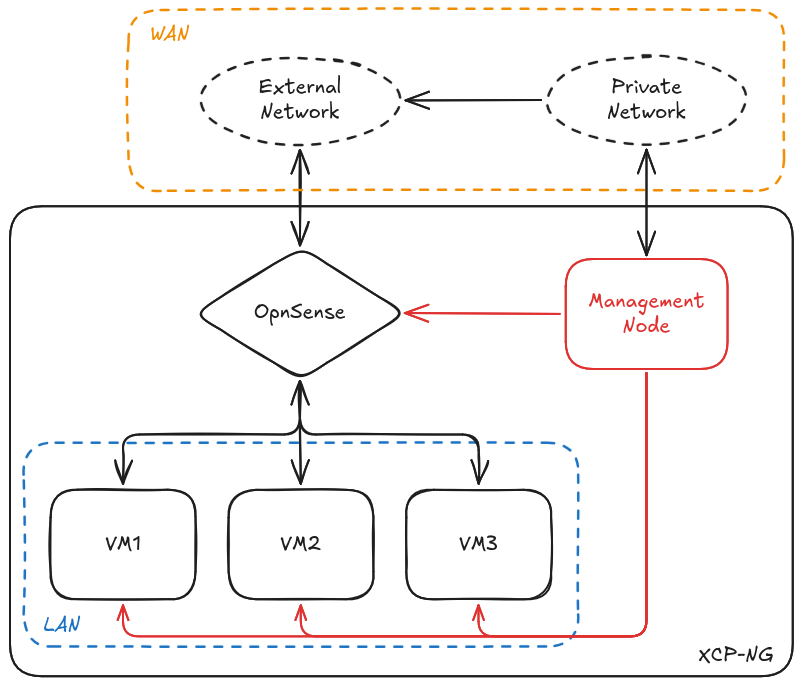
After the network is set up, all the VMs behind it were configured to run Debian and the corresponding software, ideally keeping different services separate (e.g., all the Discord bots can run in the same VM, but the web server should be separate). In the future I’ll also configure a log aggregator so I can monitor the status of all my services from a central location, with the added benefit that compromised hosts may report logs before an attacker deletes them.
Overall, I’m quite happy with the new setup. I was able to learn a lot more about virtualization and how cloud infrastructure operates (at a small level) and work with enterprise-grade firewall solutions like OpnSense. In the future I’ll likely expand the server to include a few other services, in addition to the log aggregator, and perhaps play with Kubernetes for dynamic service scaling. Right now I’m working on the same network as the server, but I need to work out a remote management solution when I’m away since port forwarding SSH almost entirely defeats the point of the security system I’ve established. For now, I’m satisfied, but in another 6 years it’s almost guaranteed I’ll rebuild it again.